Easily create your own icons for multiple platforms
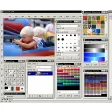
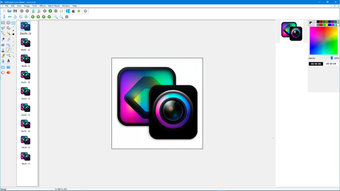
SoftOrbits Icon Maker is a tool for creating new icons from existing graphics or designing them yourself.
Unlock your creativity with Adobe Stock
Get 10 images or 1 video with a free trial
Windows, Android and iOS all have their own different specifications for icon format such as the 256x256 PNG icons used in Windows 7 and 8 or the 1024x1024 HD icons used in OS X.
SoftOrbits has templates for these with options to apply special effects, and supports batch editing of icons in ICO, GIF, ANI, AVI, PNG and CUR formats with a size range from 32x32 to 1024x1024 pixels.
Icon maker for Windows: turn PNG images into ICO, ICL and CUR icon sets offline
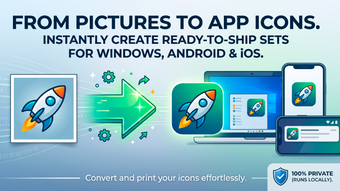
SoftOrbits Icon Maker turns ordinary pictures into ready-to-ship icon sets for Windows, Android and iOS. It writes every required size into a single .ICO, .ICL or .CUR file, and the whole job runs on your own computer, so source graphics never leave your PC.
How to use SoftOrbits Icon Maker
Click Create Windows icon from image and pick a square source picture; a PNG with transparency gives the cleanest edges.
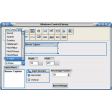
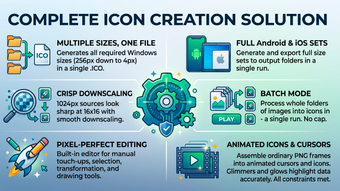
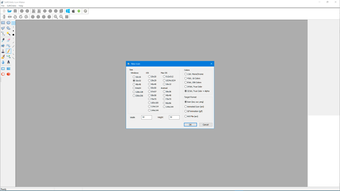
Review the size set for the .ICO file. 256, 48, 32, 8 and 4 pixels are included by default, and any extra size can be added.
Check how each generated size looks. Anything that reads badly at 16x16 can be repaired in the built-in pixel editor.
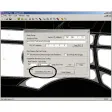
Use File / Save As to export the icon in the format your project needs.
Open Batch Mode when a whole folder of images has to become icons in one run.
Android and iOS sets are made the same way: SoftOrbits Icon Maker generates the full size set and saves it into an output folder. SoftOrbits Icon Maker is free to try, and a license adds unlimited commercial use of what you create.
Key features of SoftOrbits Icon Maker
Build-ready .ICO files with the format settings and compression modes Windows software expects.
Wide source support: JPEG, GIF, PNG, CUR, BMP, ICO, ANI, XPM, ICL and TIFF.
Pixel editor with gradients, selection, transformation and drawing tools for manual touch-ups.
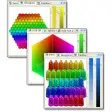
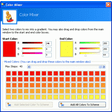
Effects that recolor an icon, add glow, or apply cartoon, waves and wind filters.
Icon extraction from EXE, DLL and ICL binaries, with ICL library import and export.
Animated icons and cursors assembled from ordinary PNG frames.
Smooth downscaling, so a 1024 px source still looks crisp at 32 or 16 pixels.
Batch mode with no daily cap on the number of icons you generate.
Who needs SoftOrbits Icon Maker
Windows developers who need a main application icon: clean up a PNG, drop it in, get a shippable .ICO.
Interface designers building icon packs: active, disabled and hover variants of one shape.
Mobile developers who need a complete Android or iOS icon set exported in a single pass.
Anyone who prefers desktop tools: SoftOrbits Icon Maker never uploads artwork to a third-party server.
SoftOrbits Icon Maker FAQ
How do I create a Windows icon from a PNG image? Drop the source PNG into the Create Windows icon feature and export the result; SoftOrbits Icon Maker builds all the sizes for you.
Can it extract icons from EXE, DLL or ICL files? Yes, those binaries can be opened and the icons inside them saved out.
Will small sizes look blurry? SoftOrbits Icon Maker resamples carefully, though 16x16 sometimes needs a manual fix in the pixel editor.
Can it remove a solid background to make a transparent icon? No, that is a separate tool: SoftOrbits Background Remover.
May I use the icons commercially? Yes, a registered license covers unlimited commercial use of created icons.
Does it work offline? Yes, every conversion and edit happens on your machine, with nothing sent to a server.
Can it create animated cursors? Yes, SoftOrbits Icon Maker supports animated icons and .CUR cursors.
Questions, problems or feature requests are welcome - contact the SoftOrbits Icon Maker team at any time.
Nice tool, does what it says. Nice program, will use it for my tasks- can create icon from transparent PNG with ability to downisize- can create native Widnows 8 icons Pros: generation of all icon sizeseffects Cons: can not create icons for Macdoes not have primitives library
Laws concerning the use of this software vary from country to country. We do not encourage or condone the use of this program if it is in violation of these laws. Softonic may receive a referral fee if you click or buy any of the products featured here.







.png)